Modify my password
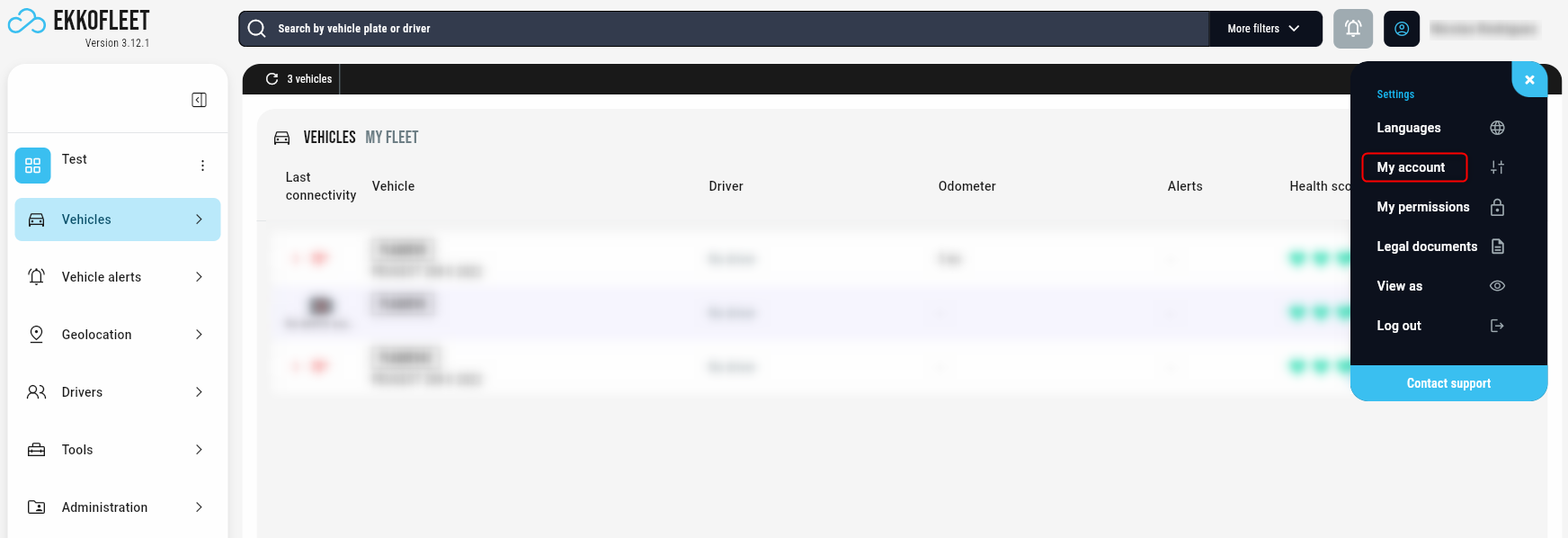
Access your profile settings. In the top bar, click on your profile picture next to your short name.
Open the menu. A dropdown menu will appear; click on "My Account."
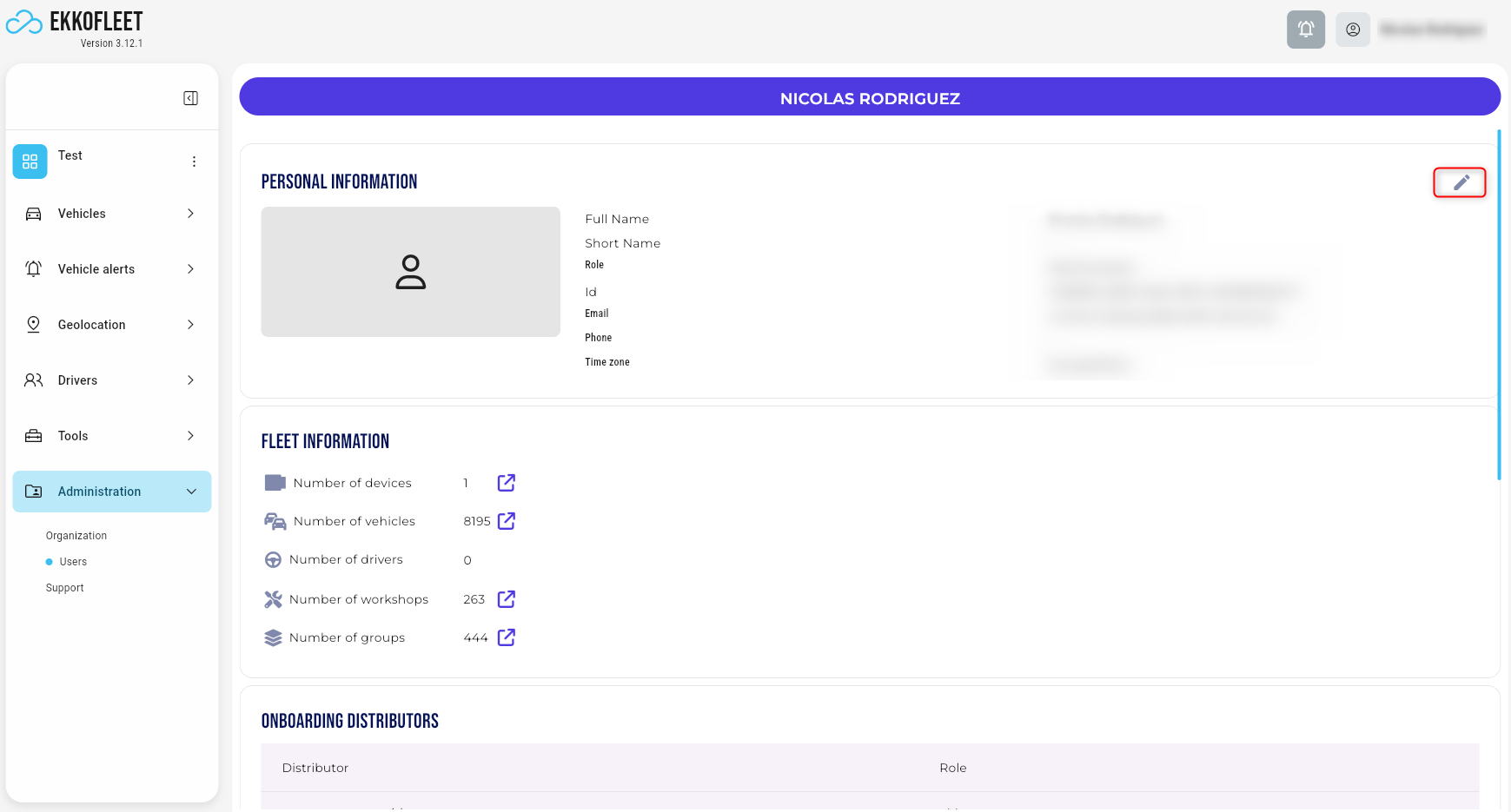
Click the Edit button. In the "Personal Information" section, click the edit button (represented by a pen icon).
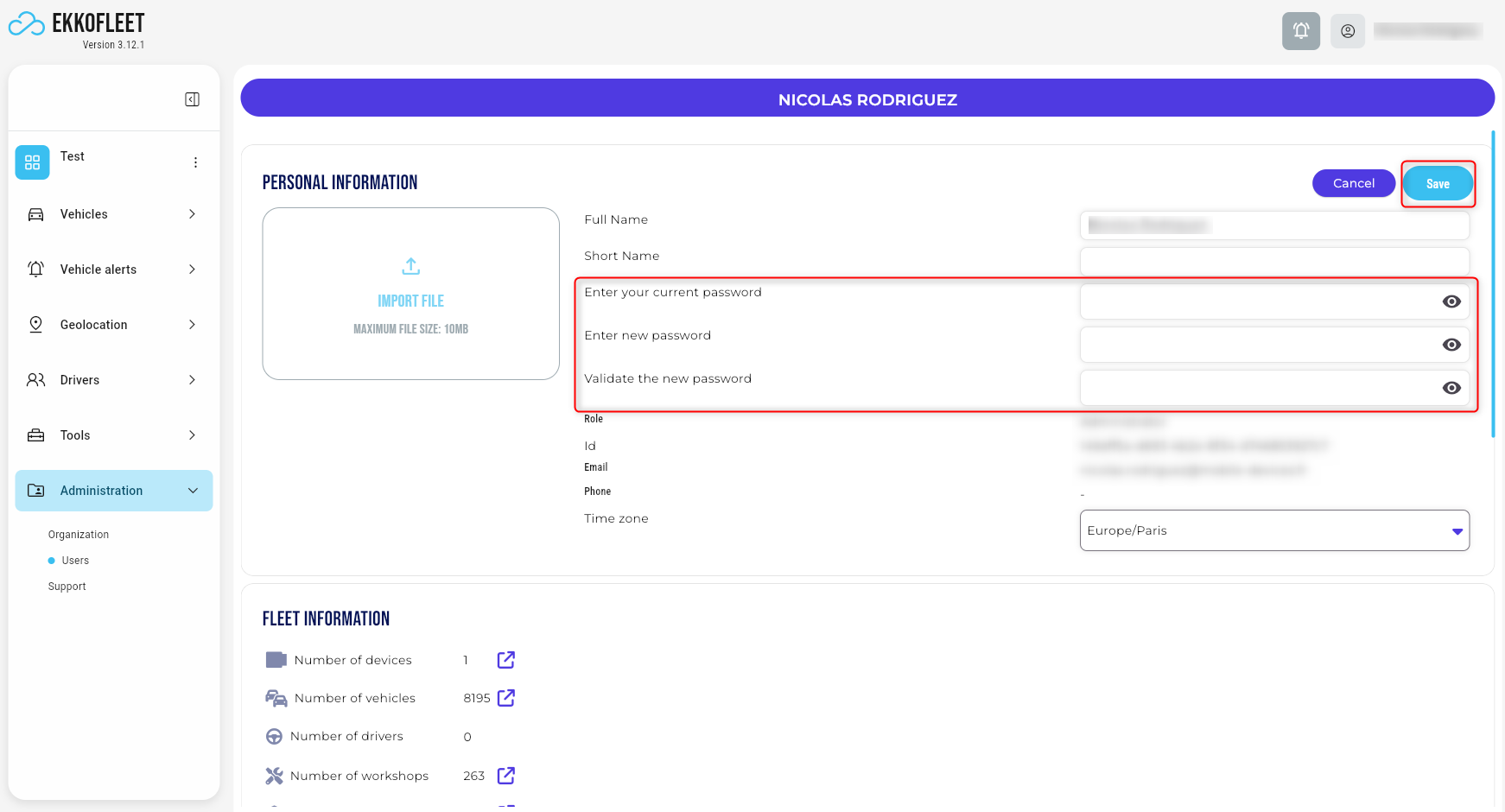
Enter your current password. This is required to verify your identity.
Create a new password. Enter your desired new password, ensuring it meets the complexity requirements.
Your password must be at least 12 characters long.
It must include a mix of uppercase letters, lowercase letters, numbers, and special characters (such as @, #, $, etc.).
Confirm your new password. Type the new password again to ensure there are no typos.
Save your changes. Click the button labeled "Save."