Navigation
Main Navigation
The navigation menu is typically located at the side of the website and provides quick access to different sections:
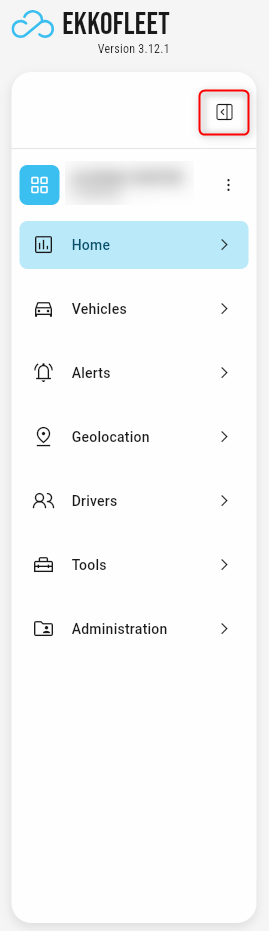
Sidebar Toggle: Located above your fleet level view (under the EKKO FLEET logo), this toggle allows you to expand or collapse the sidebar navigation.
 <=>
<=> 
Sidebar Navigation: Used to access all pages of the EKKO Fleet platform. Clicking an item in the sidebar expands the menu, revealing a sub-menu where you can select an option.

Search Bar: Quickly search within the EKKO Fleet system.

Top Bar: Access "My Account" settings.
Account Menu
The account menu is used to manage your profile and preferences.
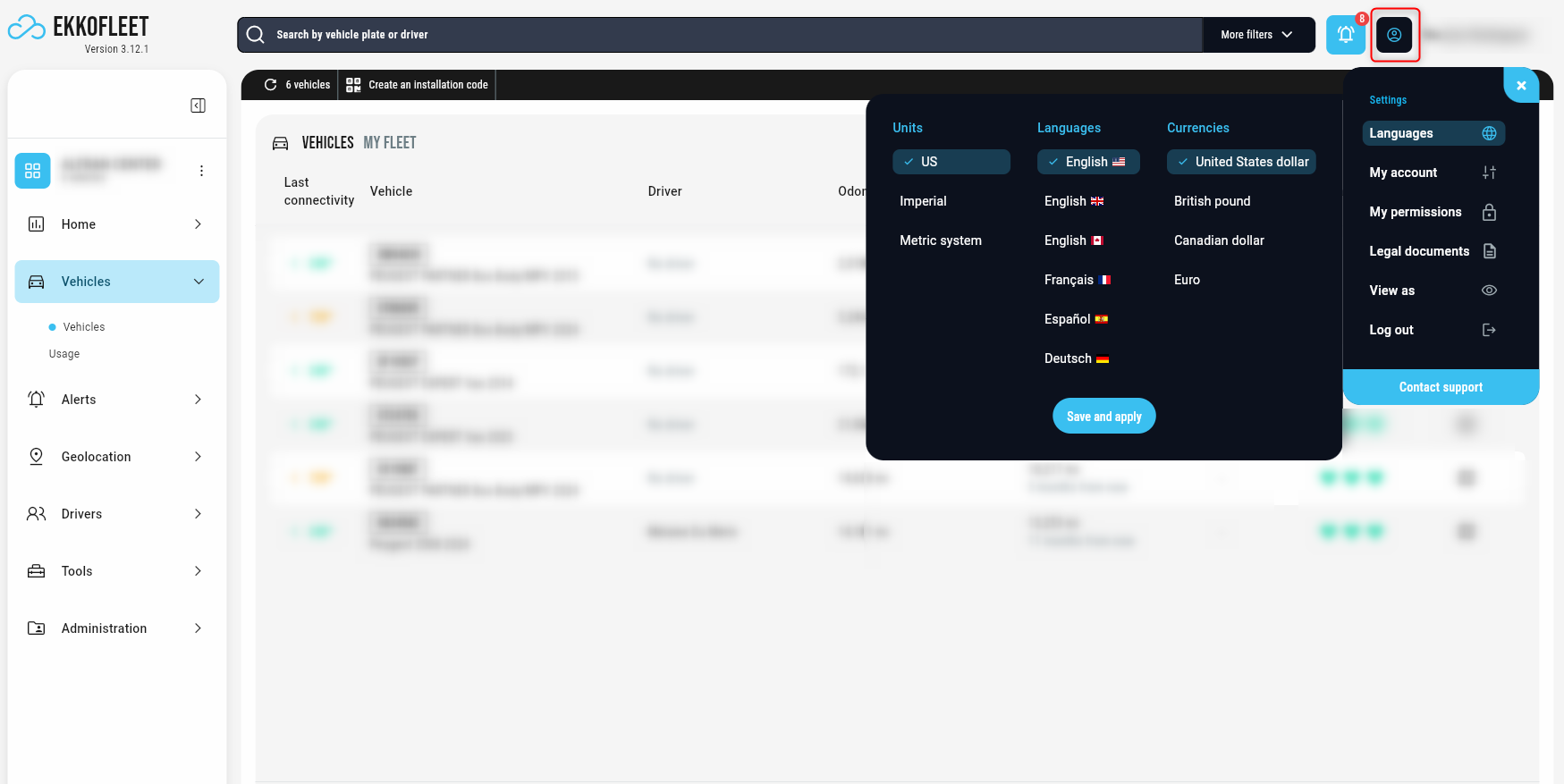
Access and Update Account Settings: Edit your profile information, such as your name, short name, and password.
Personalize Your Experience: Choose your preferred language, units of measurement (e.g., metric or imperial), and currency to suit your needs.
Legal Information: Easily access the Terms and Conditions and Privacy Policy governing the use of our service. It is important to understand these policies, and they are always available here for your reference.
User Permission Details: Depending on your role, you will see a page describing your account's permissions and access levels. This helps you understand the actions you can perform within the system.
Secure Logout: When you have finished using the platform, sign out securely by clicking the "Log out" option.